Porting 10,000 lines of vibe-coded JavaScript to Unity. What could possibly go wrong?
The Cascade web prototype was working. Playtests were going well. Players were smiling, replaying, asking questions. We finally had gameplay that actually held together.
Small problem: it was JavaScript. Vibe coded. Half understood. A house of cards held together by duct tape and prayers.
Quick reminder: we had just killed Symphony of Cards. 8 months of work. Around 50,000 euros up in smoke. If you missed that episode, here's the full story 👇
 Parallel-Minds Teams
The experience gained is priceless, sure. But the bank account? It remembers everything.
So when it came time for the next step, porting the prototype to Unity to build the real game, we decided to get cocky.
The bright idea (spoiler: it wasn't)
Our reasoning was simple: we vibe coded the JS prototype with AI. Why not vibe code the Unity port?
We fire up Claude. Give it the context. Explain the project. Show it the source code.
"Port this to Unity."
8 hours later, we had:
- A project that wouldn't compile
- Scripts referencing classes that didn't exist
- Cards we'd never created (gotta love AI hallucinations)
- And the absolute certainty we should have stayed in bed that morning
The AI had invented mechanics. Created systems we never asked for. Generated code that looked like C# but... wasn't. The kind of stuff that maybe compiles in some parallel universe.
We closed the laptop. Stared at the ceiling. Seriously considered a career change. Again.
Back to square one (but not really)
Next morning, coffee in hand, we did what we should have done from the start: actually think.
The problem wasn't the AI. The problem was us. We'd thrown 10,000 lines of poorly structured JavaScript at it and expected it to figure everything out at once. Of course that wasn't going to work.
So we changed our approach. Radically.
The workflow that changed everything
We set the rules. Clear. Non-negotiable.
First, a CLAUDE.md file. Our bible. Everything the AI must follow:
- Port feature by feature. Never more than one at a time.
- Don't invent anything. If it's not in the JS, it doesn't exist.
- Always refer to the source code. Always.
- Work in SOLID. No 800-line classes.
- Follow gitflow. One commit = one feature = one clear message.
Then, Claude Code. Not the web interface. The real deal. Running locally, with filesystem access, able to iterate in a loop until it works.
And finally, the centerpiece: an MCP that controls Unity directly.
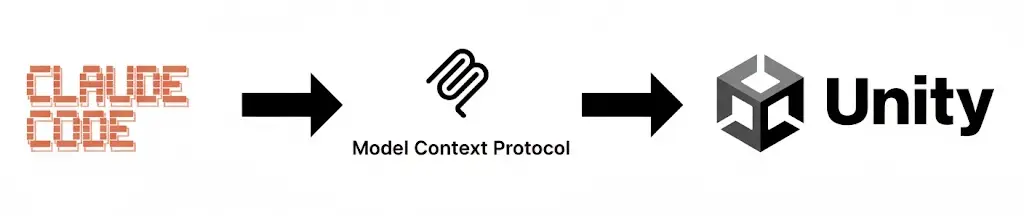
For those unfamiliar, it's a bridge between Claude and the Unity editor. The AI can create GameObjects, generate scenes, verify everything compiles, run tests. Hands-free.
The first time we watched Claude create a prefab on its own, we looked at each other. "OK. Now we're onto something."
The method: slow, but solid
We started with the grid. The foundation of everything. The matrix where players place their cards to trigger chain reactions.
Claude read the JS code. Analyzed the logic. Proposed a C# architecture. We validated. It implemented. We reviewed. Line by line.
Yes, it's slow. Yes, it's tedious. But every script that came out was clean. Tested. Functional.
Then came the real beast: the Activation Engine.
For those who don't know Cascade, it's a game where you place cards on a grid. When you execute, everything chains together. Cards activate, interact, multiply, and at the end, a score drops. Simple on the surface. A nightmare to code.
The Activation Engine is the brain of the game. It calculates everything: activation order, combos, triggered effects, multipliers, final score. Dozens of intertwined rules. Edge cases everywhere. The kind of system where you change one line and break three mechanics.
In the JS prototype, it was an 1,800-line monster all by itself. Functional, but opaque. Even we weren't sure we understood some parts anymore.
Porting it properly took a while. We broke down each rule. Had Claude implement them in isolation. Tested. Broke things. Started over.
We ran different scenarios, compared results against the web prototype. Then one afternoon, the scores finally matched.
One week later
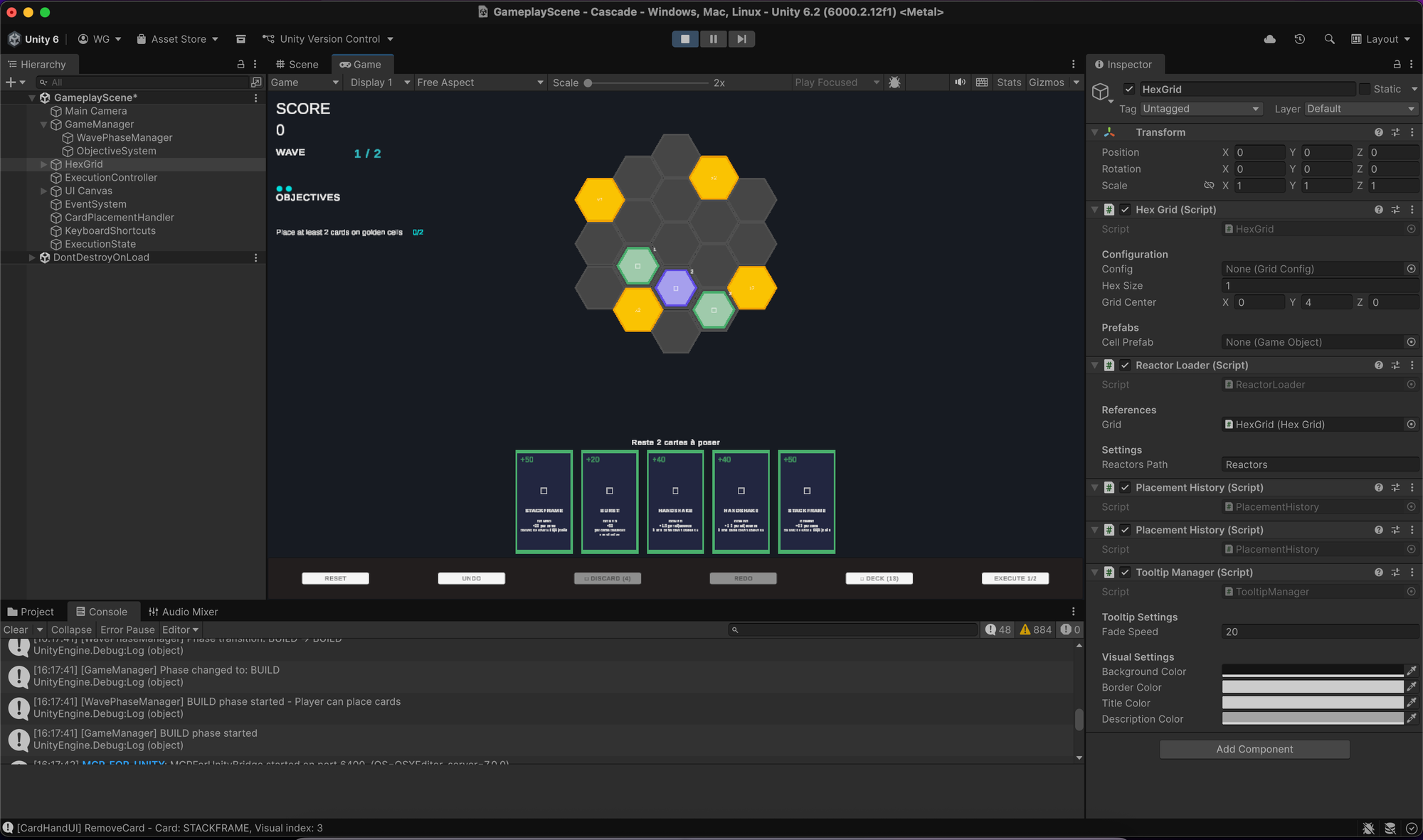
The core gameplay runs in Unity.
It's raw. No feedback. No juice. No satisfying animations. Cards appear as blocks. The grid is a gray checkerboard.
And that's exactly what we wanted.
Want to compare? The Cascade web prototype is still playable on itch.io.
See if you can beat your highscore.

Because we learned the lesson. The one that cost us 50,000 euros and 8 months of our lives: no polish before gameplay. Ever.
The JS prototype proved the mechanic was fun. The Unity port lays solid foundations. We're working with a freelance Unity developer, and the goal was clear: hand them a clean, readable codebase they can build on with their expertise. Mission accomplished.
What we actually learned
AI doesn't replace thinking. It amplifies it.
Feed it chaos, you get chaos back. Feed it structure, you get structure back.
Claude Code became our best tool. Not because it codes instead of us. But because it codes with us. As long as we give it the right rules.
And those rules? We learned them the hard way. By failing first. By starting over after.
What's next?
Now we're tackling the next challenge: a card management and balancing system driven entirely from Google Sheets.
The idea is to create, tweak, and adjust any card without touching the code. No rebuild. No relaunching Unity. Just a spreadsheet, some values, and a game that updates on the fly. Iterate on balance in seconds. Test a new card before your coffee gets cold.
Cascade moves forward. And we'll tell you the rest.
Unfiltered.

Comments ()